

Electronic Locks at Home: Are They Safe?
Are Electronic Locks for the Home Safe? Discover the most common failures, real risks, costs, and when it may be better to choose a mechanical lock.
CERRAJERO
Ramón Muñoz González
12/4/202526 min read
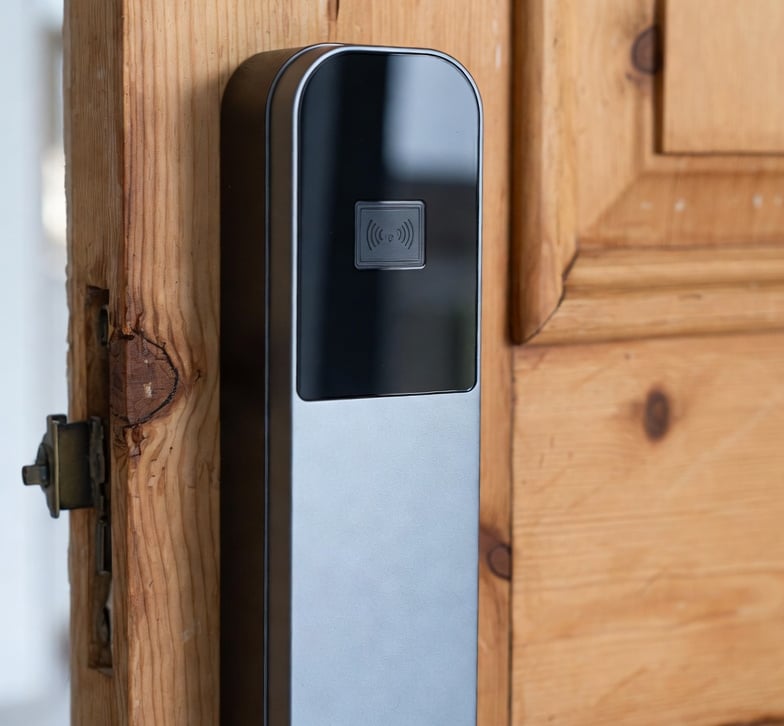
Main Problems with Electronic Locks for the Home Markdown pegado
Introduction to Electronic Locks and Their Growing Popularity
Electronic locks — also known as digital or smart locks — are locking devices that use electronic means to lock and unlock a door instead of relying solely on a traditional mechanical key. They can operate using PIN codes, proximity cards, fingerprints, control through a mobile app, and even voice commands. In recent years, they have become increasingly popular as a modern alternative to traditional mechanical locks thanks to the convenience and advanced features they offer. For example, the market includes smart locks capable of unlocking automatically when they detect that the owner (or their phone) is approaching, being unlocked remotely to allow friends or relatives access when no one is at home, and even models with built-in cameras that let you see who is at the door in real time.
This growing adoption is driven by advantages such as eliminating the need for physical keys — and the risk of losing them — enabling access without anyone being present, which is particularly useful in holiday rental properties or when allowing service personnel into the home, keeping a record of who enters and leaves, and integrating with home security systems. In theory, electronic locks promise greater convenience and control than traditional key-operated locks. However, these benefits also bring new challenges and potential problems that users need to consider.
In this educational article, we will examine in detail the main problems with electronic locks for homes, comparing them with traditional mechanical locks in key areas such as security, technical reliability, installation, maintenance, cost, durability, and ease of use. We will also look at real examples of electronic lock failures and provide practical recommendations if you are considering installing one in your home.
The aim is to provide a balanced view: recognising the benefits of these modern locks while also highlighting their limitations, so you can improve your knowledge of residential security and make informed decisions. There is no perfect lock, and understanding the advantages and disadvantages of each system is essential for protecting your home effectively.
Security: Vulnerabilities of Electronic vs Mechanical Locks Markdown pegado
When it comes to security, traditional mechanical locks and electronic locks have different strengths and weaknesses. High-security mechanical locks — good-quality traditional cylinders — provide solid physical protection: they are made from resistant materials such as steel or brass and cannot be hacked remotely. They do not depend on software or network connections, so cybercriminals cannot attack them via the internet.
However, they have other vulnerabilities. If they are not high-security models, mechanical locks may be susceptible to covert opening techniques such as lock picking or bumping, which can allow the cylinder to be opened without the original key. There is also always the risk of physical keys being lost or stolen: a misplaced or unauthorised duplicate key can compromise your home. In short, a mechanical lock cannot be hacked digitally, but it can be forced or manipulated using traditional methods if the intruder has the necessary skill and the lock lacks anti-bumping or anti-extraction protection.
On the other hand, electronic locks eliminate some of these traditional risks but introduce new ones. Because many models do not have a conventional cylinder, they are often immune to lock picking and bumping — there is no keyhole to manipulate — making common burglary techniques against basic locks more difficult. They also solve the problem of physical keys: there is no key to lose or copy, as access is granted through a code, card, app, and so on.
This increases control over who enters the property, since you can programme different codes for individual users and restrict access to certain times, for example. However, electronic locks introduce the possibility of digital attacks. Because they are based on computer components and are often connected to networks such as Wi-Fi, Bluetooth, or the internet, they may become targets for hacking or electronic sabotage.
Cases have already been documented in which hackers managed to unlock digital locks by exploiting vulnerabilities in their systems. These vulnerabilities can, for example, allow someone to intercept the lock's wireless signal or exploit a software flaw to gain unauthorised access. A poorly configured Wi-Fi smart lock could even expose your home network; there have been examples of models with weak security that allowed nearby attackers to obtain the home's Wi-Fi password through the lock. Other locks have had data transmission flaws that attackers could intercept to take control of the device remotely.
Electronic locks with numerical PINs are also at risk of brute-force attacks against the access code. A criminal could try combinations until finding the correct one if the owner has chosen a weak PIN such as “1234” or “0000”. Without appropriate lockout mechanisms, a simple code could eventually be discovered through repeated attempts.
Fortunately, most modern electronic locks include security measures such as temporary lockouts after several failed attempts, tamper alarms, or strong communication encryption.
Even so, no lock — electronic or mechanical — is 100% invulnerable. Connected locks bring additional risks that users of traditional locks never had to consider, so they require more attention to secure configuration and proper use.
In practice, many smart locks end up compromising either physical strength or cybersecurity: the result may be a smart lock that is somewhat physically weak, or a robust metal lock containing vulnerable software. Combining resistant hardware with secure smart technology is not simple, and if a model fails to achieve that balance, it may remain exposed to attack.
In conclusion, purely from a security standpoint, mechanical and electronic locks involve different risk profiles. A high-security mechanical lock with anti-bumping and anti-picking protection installed on a reinforced door remains a highly reliable standard against traditional physical attacks. A well-designed electronic lock can provide access-control advantages and may resist techniques such as lock picking, but it requires trust in the technology and protection against digital attacks.
A modern principle in security is that “technology should not be trusted blindly”: it should be used with care. For example, some experts recommend combining both systems — a strong mechanical lock together with a well-protected digital system — to take advantage of the strengths of each. This removes the weakness of relying only on a code because there is also a strong physical lock, while still adding technological convenience without leaving obvious weak points for intruders.
Technical Problems: Electronic Failures and Overall Reliability Markdown pegado
In addition to security considerations involving intruders, electronic locks present internal technical challenges that do not affect traditional mechanical locks. These problems relate to the reliability of the device itself: dependence on power, possible software errors, or electronic faults that could leave you locked out of your home.
Below, we examine the most common technical problems:
Dependence on power: Unlike a mechanical lock, which operates simply by turning a key, an electronic lock requires electricity to operate its locking and unlocking mechanism. They usually use batteries — alkaline batteries or rechargeable batteries — built into the door, although some are connected to the home's electrical supply.
The most common problem is battery depletion: if the batteries run completely flat and there is no backup system, the lock may become blocked or unusable until the power source is replaced. This can take homeowners by surprise if they have not carried out preventive maintenance, resulting in them literally being locked out of their own home.
Many models include emergency solutions to reduce this risk, such as a hidden physical key for manual use or an external power port where an external battery or 9V battery can be connected from outside. In fact, most good-quality electronic locks include some form of emergency access to prevent a dead battery from leaving you unable to enter.
However, this introduces an extra step that the user needs to understand in advance. If you do not know how to use the emergency key or do not have a spare battery available, forgetting to replace the batteries can lead to an unwanted lockout.
By contrast, a mechanical lock does not require any external power source: as long as the key works, the lock will open, even during a power cut or after long periods away from home, since there are no batteries to run out. This independence from electrical systems makes mechanical locks very reliable in terms of continuous operation.
Software or electronic failures: Like any smart device, electronic locks depend on internal software (firmware) to manage their functions. And like all software, it can contain errors or bugs and may freeze.
There have been cases in which a faulty firmware update or programming error rendered a lock inoperative, preventing it from opening or closing until it was reset or repaired. For example, if the manufacturer releases an update and something goes wrong during the process, the system could be left in an error state.
Some users have reported difficulties reconnecting their locks to home automation systems after certain updates, or devices that stopped responding remotely because of software incompatibilities.
These software failures can affect critical functions, ranging from preventing the door from being unlocked through the app to incorrectly recording entries and exits or disabling security notifications.
In connected smart locks, loss of connection or an unstable Wi-Fi signal can also create problems. For example, it may prevent you from opening the door remotely or receiving alerts on your phone. If the lock depends on cloud communication through the manufacturer's servers, even a server outage could disable some functions.
There have even been cases of providers shutting down their cloud infrastructure, leaving certain devices unusable until they were updated. Even though the lock remains physically installed on your door, if its software expects to verify something online and that service no longer exists, it could effectively become an expensive electronic ornament.
By contrast, mechanical locks do not have software or a digital “brain”: there is no risk of bugs, crashes, or dependence on external servers. Their simplicity is one of their main strengths. At most, they may become jammed through physical wear, but not because of a programming error.
Electronic components and wear: Internally, a digital lock contains electronic parts such as circuit boards, sensors, and small motors that create additional points of failure.
The motor that operates the bolt, fingerprint sensors, keypads, communication chips, and other components can all suffer manufacturing defects or fail over time. For example, a worn electric motor may no longer have enough strength to move the bolt after years of use, or a fingerprint reader may stop recognising fingerprints properly if it becomes dirty or worn.
Temperature changes, humidity, and dust can affect sensitive electronic circuitry more than a conventional metal locking mechanism.
Even poor installation or alignment can cause internal friction that eventually blocks the mechanism. It is important to remember that many electronic locks still contain mechanical parts such as bolts, pins, and gears. If the door becomes misaligned or internal mechanical parts wear out, the lock can jam just like a traditional one.
In short, the “electronic” component does not eliminate physical breakdowns: it adds new types of failure — circuits and software — while retaining some of the traditional ones, such as stuck components and mechanical play.
For this reason, an important recommendation is to carry out preventive maintenance, such as gently lubricating moving parts and making sure the door does not rub or force the bolt when closing. These simple measures can extend the life of both mechanical and electronic locks.
Overall, we can say that a good-quality mechanical lock offers very high reliability in the sense that it will keep working as long as you have the key. It does not depend on external factors other than its physical integrity.
By contrast, an electronic lock introduces more potential points of failure, although manufacturers try to minimise them through redundancy, including backup keys, low-battery alerts, and other safeguards.
Owners of digital locks must be prepared to manage issues that did not exist before: changing batteries, restarting the device after a glitch, updating firmware, monitoring connectivity, and so on.
With good maintenance, most of these problems can be prevented or easily resolved, but they require a greater level of attention than a simple traditional lock.
Installation and Maintenance: Practical Differences Markdown pegado
Another important point of comparison is how these two types of locks are installed and maintained in a domestic setting.
Installation: Conventional mechanical locks are generally simpler to install. A traditional locksmith — or even someone with good DIY skills — can replace or install a mechanical lock using basic tools and standard procedures.
The process usually involves fitting the cylinder or locking mechanism into the door, securing it with screws, and making sure the key turns correctly. There are no electrical requirements or programming involved. Of course, professional installation is recommended for maximum security, but technically the process is not especially complex.
By contrast, electronic locks often require more specialised installation. Many models involve running cables through the door or frame if they are connected to mains power or to a sensor, while others require motors to be aligned precisely with the existing bolt.
Alignment and configuration are critical: if the electronic motor is not adjusted correctly, the bolt may not engage properly and the lock may fail to open or close.
After physical installation, there is also digital configuration: programming access codes, pairing Bluetooth, connecting the lock to Wi-Fi, and calibrating its operation — for example, teaching it when the door is fully closed.
This can feel overwhelming for users without technical experience.
For that reason, it is often necessary — or at least highly advisable — to use a locksmith who specialises in electronic locks for installation. A professional will ensure that the device is correctly positioned, updated, and securely configured, for example by changing any factory passwords or PINs that could create vulnerabilities.
Poor installation of an electronic lock may not only cause operational problems but also introduce security weaknesses.
In short, mechanical locks are relatively plug and play, while electronic locks require more careful installation and configuration.
Maintenance: The differences continue once the lock is in use. A mechanical lock requires virtually no complex maintenance. It is generally enough to lubricate it occasionally with graphite or another recommended lubricant and perform infrequent inspections — perhaps once a year — to make sure there are no worn parts or alignment problems.
Unless a problem develops, such as jamming or a key that no longer turns properly, you can usually forget about a mechanical lock for long periods.
By contrast, an electronic lock requires more active maintenance. The main task is monitoring and replacing the batteries periodically before they run completely flat.
Many models provide audible or visual warnings when the battery is low, and these warnings should be dealt with promptly. It is also advisable to keep a schedule, for example replacing batteries every few months according to the manufacturer's specifications.
Another maintenance requirement is keeping the software and firmware updated. When the manufacturer releases security updates or improvements, they should be installed to correct potential errors and protect the lock against newly discovered vulnerabilities.
This is similar to updating the operating system on a phone or computer, and many homeowners may overlook it, leaving their lock exposed to known but unpatched bugs.
It is also advisable to clean and care for the external components. For example, keep dirt and dust from building up on a numerical keypad, and gently clean fingerprint readers to maintain accuracy.
If the lock contains mechanical components such as bolts and latches, the same good practices of lubrication and adjustment used with conventional mechanical locks should be applied.
Finally, when it comes to technical support, a fault in an electronic lock may require specialised assistance. If the problem is electronic or software-related, a traditional locksmith may not be enough, and you may have to contact the manufacturer's technical support.
In some cases, the locksmith may be able to fix mechanical issues such as jams or broken parts but not purely electronic faults. This is why some modern locksmiths now specialise in digital locking systems.
In any case, if a serious fault occurs, it is best not to force the lock yourself and to call a professional to avoid causing further damage.
Keep in mind that repairing or replacing electronic components is usually more expensive than repairing a standard mechanical lock, so correct installation and preventive maintenance are essential for avoiding costly incidents.
Cost and Durability: Long-Term Investment Markdown pegado
When evaluating locks for the home, the initial cost and long-term durability are very important factors. Mechanical and electronic locks differ significantly in both areas.
Initial price: In general, mechanical locks tend to be much cheaper than electronic ones. A good high-security cylinder or mechanical deadbolt may cost a few dozen euros, while a quality electronic lock with smart functions can easily cost several times that amount.
Smart locks incorporate technology, sensors, motors, and often connectivity, all of which increase the price. In addition, the cost of professional installation often needs to be added, as relatively few people are comfortable installing an electronic lock themselves, whereas many mechanical locks can technically be fitted by the user, even though professional installation is still recommended.
In short, the initial investment is higher with electronic locks.
Some advanced smart locks with biometric features, Wi-Fi, and home automation integration can even cost as much as a mid-range computer or smartphone.
For users looking for a basic and affordable solution, mechanical locks are therefore often regarded as the more economical option. Put simply, a mechanical lock performs its function simply and cheaply; an electronic lock adds extra features, but those features come at a price.
Additional costs and maintenance: Beyond the purchase price, operating costs must also be considered.
A mechanical lock generates virtually no additional expenses once installed, apart from occasional repairs after many years or costs related to lost keys, such as replacing the lock or making duplicate keys.
By contrast, an electronic lock may involve certain recurring costs: periodic battery purchases or recharging, possible subscriptions or cloud services on some models, and eventual replacement of electronic parts outside the warranty period.
For example, some smart locks may offer stored access logs or integration with virtual assistants through paid services, depending on the manufacturer.
If an electronic lock fails outside warranty, repairing it or replacing the whole device will generally cost more than replacing a simple mechanical cylinder.
In terms of durability, mechanical locks have a reputation for being long-lasting and robust. There are mechanical locks that continue to operate for decades with minimal maintenance because their mechanisms are entirely physical and well constructed.
High-end locks, including anti-bumping security models, are built using hardened materials designed to resist both attack and prolonged use.
Electronic locks, on the other hand, have not yet demonstrated the same longevity in many cases. Technology develops rapidly, and a model installed today may become obsolete within a few years in terms of features or support.
Manufacturers of smart devices tend to provide support — updates and replacement parts — for a limited period, perhaps around 5 to 10 years at best in many cases. After that point, the lock may no longer receive security patches, potentially leaving it vulnerable to newly discovered hacking methods.
Worse still, if the manufacturer goes out of business or discontinues the product, some functions may stop working, particularly those that depend on external servers.
With a mechanical padlock or door lock, people often expect it to last “a lifetime” with minor repairs. With an electronic gadget, however, it is not realistic to expect decades of service without replacement.
One expert compared this to smartphones: we are accustomed to replacing our phones every two or three years to maintain support and security, but nobody expects to replace their front-door lock every three years.
In practice, we expect the main door lock to last at least 20 or 30 years. This creates some uncertainty about how smart locks will perform over such long periods.
If, 15 years from now, your electronic lock stops working and compatible spare parts are no longer available, you may need to replace the entire system, creating another expense and possibly requiring modifications to the door.
Resistance and wear: In terms of physical durability, well-built mechanical locks can often withstand intensive use and harsh conditions such as cold and heat better than many electronic models.
A steel mechanical lock can continue working after thousands of key turns and may tolerate exposure to humidity unless corrosion becomes severe.
Electronic locks installed outdoors, by contrast, must be specifically designed to withstand rain and dust, often through suitable IP ratings.
Keypads may wear over time, potentially revealing which digits are used most frequently and giving clues about the access code if precautions are not taken.
Plastic components can become brittle after prolonged exposure to direct sunlight. Electronic circuits also have a finite lifespan and may be more sensitive to power surges or electrostatic discharge than a purely mechanical mechanism.
In conclusion, a quality mechanical lock provides greater simplicity and traditionally offers a more predictable service life, while an electronic lock represents a larger investment with more variables throughout its lifecycle, including batteries, manufacturer support, and technological obsolescence.
This does not mean that all electronic locks have a short lifespan — many robust products are available from established manufacturers — but adding electronics generally creates more maintenance requirements than a purely mechanical system.
Anyone choosing a smart lock should be aware that they may need to replace or upgrade it sooner than a conventional lock, and they will need to take greater care of it to keep it operating properly.
Ease of Use and Accessibility Markdown pegado
One area where electronic locks clearly stand out compared with mechanical locks is daily ease of use and accessibility for different users. In fact, convenience is often the main reason people consider installing a digital lock at home.
No physical keys: With an electronic lock, you no longer need to carry keys or worry about forgetting them. Depending on the model, you can open the door using your mobile phone, a numerical code, or your fingerprint.
This is especially convenient in everyday situations. For example, when you arrive home carrying shopping bags in both hands, instead of searching for your keys, you can quickly enter a code or use your phone to unlock the door.
For families with children, eliminating physical keys means children do not have to carry — and potentially lose — copies of the house key. Instead, they can memorise a PIN or use an access card.
Electronic locks can also be useful for older people or people with reduced mobility. Some smart locks can be linked to voice assistants, allowing users who find it difficult to manipulate a physical key to use a verbal command such as “Alexa, open the door” or use a remote control.
Likewise, an older person with reduced vision may find an illuminated keypad easier to use than trying to insert a key into a lock at night.
Access control and multiple users: Electronic locks make it much easier to manage temporary access or multiple users.
If you need to allow a relative, friend, or service worker into your home, you do not need to make duplicate keys or leave a key hidden somewhere, which can be insecure.
Instead, you can give them a temporary code or programme a digital key that only works during specific hours.
For example, a cleaner could be given a PIN that only works on Tuesday mornings. If you rent out your property through Airbnb, you can generate a code that is valid only for each guest's stay and then revoke it afterwards.
This can increase control over access in ways that are impossible with a traditional mechanical lock, which cannot distinguish who is entering or at what time.
Many smart locks also keep an activity log, allowing you to see who opened the door and when.
This traceability is particularly valued by users who want to monitor home security remotely or confirm, for example, that their children arrived home from school at a certain time.
A mechanical lock cannot provide this information unless it is combined with other systems such as security cameras.
In terms of accessibility, this ability to personalise access can be especially useful in homes with children, carers, guests, and other users.
Integration with the digital home: Another usability advantage is that electronic locks can integrate with the home automation ecosystem.
For example, you could configure the door to unlock automatically when your smartwatch detects that you have arrived home using geolocation.
You could also programme the system so that opening the door switches on indoor lights and deactivates the alarm.
Conversely, many models can automatically lock the door a certain number of seconds after it closes, preventing you from accidentally leaving it unlocked.
These automated features are designed to make everyday use more convenient and seamless.
What about usability disadvantages? There are relatively few, but they should still be mentioned.
A well-configured electronic lock is generally very easy to use. However, users who are less comfortable with technology may need some time to adapt.
For example, someone unfamiliar with smartphones may feel uncertain about using an app to open the door.
If the lock interface is only available in English, this could also create difficulties for some Spanish-speaking users.
In general, these barriers are relatively minor and can usually be overcome with practice.
Another inconvenient situation is forgetting the access PIN, the modern equivalent of losing your keys.
If this happens and you have no alternative way of entering — such as a physical backup key or remote access — you could still end up locked out just as with a conventional lock.
For that reason, it is advisable to choose codes that are memorable but secure and store them in a password manager if necessary.
It is also true that you depend on your personal technology. If you use your phone to open the door, what happens if your phone battery dies just as you arrive home?
You would then need to use a PIN, fingerprint, or another backup method. In other words, you need a Plan B.
Fortunately, electronic locks often provide several access methods, such as app + PIN + physical key, so it is unlikely that every method will fail at the same time.
Overall, in day-to-day operation, properly implemented electronic locks clearly offer greater convenience than mechanical locks.
The critical point comes when something goes wrong. At that moment, electronic systems can become less accessible. If there is a technical failure, resolving the problem may involve more steps — and more technical knowledge — than simply using a spare key in a mechanical lock.
For that reason, it is always advisable to keep manual emergency options available and understand how to use them.
From the perspective of universal accessibility, we could say that electronic locks expand access possibilities, adapting to different users and situations such as children, older adults, people with disabilities, guests, and remote access needs.
Mechanical locks, on the other hand, offer traditional simplicity. They may not be as versatile, but almost anyone knows how to use one: insert the key and turn.
Each household should decide which aspect matters most: the technological versatility of electronic locks or the straightforward simplicity of mechanical ones.
Examples of Electronic Lock Failure Situations Markdown pegado
To illustrate the risks more clearly, below are some real or common examples of electronic lock failures and how they can affect homeowners.
Dead batteries and homeowners locked out: Unfortunately, this is a fairly common scenario.
Imagine arriving home and discovering that your electronic lock does not respond because its batteries have run out.
If the device does not have a backup power source and you do not have access to the emergency key, you may literally find yourself locked out of your own home.
Situations like this occur when batteries are not replaced in time. The lock may have run out of power hours or even days earlier, and you only discover the problem when you reach the door.
This can be stressful, particularly if it happens at night or in bad weather.
The immediate solution is normally to use the emergency mechanical key if one exists and is accessible, or to call an emergency locksmith to open the door.
Some people have had to call a locksmith after the batteries died while they were away and they had no conventional way to enter.
Fortunately, many electronic locks provide advance low-battery warnings through beeps, lights, or mobile notifications. However, it is the user's responsibility to respond to these warnings.
The lesson is to monitor battery levels carefully and never ignore alerts.
Software failure or system disconnection: Imagine residents of a smart building experiencing a frustrating situation in which an automatic firmware update fails halfway through the process, leaving several smart locks unable to recognise opening commands.
Homeowners discover that the mobile app displays an error and the keypad no longer works because of a bug. They have to wait for the manufacturer to issue an emergency patch to restore service.
This hypothetical example, based on issues reported in user forums, illustrates how a software error can block access just like a physical fault.
In another reported situation, loss of connectivity caused problems when an owner relied on remote internet access to unlock the door for children returning from school, but a server outage prevented remote access at the critical moment.
These situations demonstrate how dependence on computer systems can become a disadvantage at the worst possible time.
A simple router or lock restart may solve minor connectivity problems, but in other cases technical support may be required.
For the homeowner, this can mean delays and frustration — problems that would not affect a mechanical lock that is completely independent of the internet.
For this reason, it is important to configure offline functions correctly whenever possible. Ideally, there should always be a local method of opening the lock even if the cloud service or app fails.
Hacking or unauthorised access by third parties: Although it is not the most common scenario, documented cases of smart lock hacking do exist.
Cybersecurity researchers have discovered critical vulnerabilities in connected locks that allowed nearby attackers to intercept Bluetooth communication between the user's phone and the lock and trick the system into opening. This is known as a relay attack.
In other cases, certain Wi-Fi lock models were found to leak network information. A technically skilled intruder could obtain the home's Wi-Fi password by exploiting a vulnerability in the lock, potentially compromising not only physical access to the home but also its cybersecurity.
There have also been incidents involving PIN-code guessing, in which criminals repeatedly tried combinations on keypad locks that did not include timed lockout protection until they discovered the correct code — possibly because the owner had chosen a simple PIN.
The consequences of a successful hack are obvious: an intruder could enter the home without leaving visible signs of forced entry, which could even complicate insurance claims.
The consequences for the homeowner can range from material losses following a burglary to a serious invasion of privacy.
However, it is important to emphasise that most known hacking demonstrations have occurred in testing environments involving security experts or sophisticated methods. This does not mean that an average opportunistic burglar can easily hack every smart lock.
Nevertheless, these examples demonstrate that the risk exists when a lock contains unpatched security vulnerabilities.
If you install electronic locks, you should remain aware of security alerts or product recalls and apply security updates promptly.
Mechanical or physical malfunction of an electronic lock: Not every failure is digital. Sometimes the weak point is still physical.
A common example involves motorised locks becoming jammed because of incorrect installation.
If the door is not properly aligned, the bolt may experience friction and the motor may be unable to retract it, leaving the door stuck halfway open or closed.
There have also been cases in which internal plastic components break through normal use, preventing the mechanism from turning.
For the average user, diagnosing and repairing this type of internal fault can be difficult, and it normally requires professional locksmith assistance.
The effect on the homeowner is similar to any other jammed lock: time is lost, appointments may be missed, and the person may be locked out until the problem is resolved.
The difference is that with a mechanical lock, the user may try a suitable lubricant or gently move the key, whereas with a jammed electronic lock there may be no manual way to move the mechanism if the motor does not respond, unless an emergency key is available.
This example reinforces the importance of careful installation and of not ignoring signs of unusual resistance or friction.
If you notice that your smart lock is struggling to move the bolt, have it adjusted or call a technician before it becomes completely jammed.
Across all these examples, we see the same pattern: electronic locks can fail for a variety of reasons — power supply, software, hacking, or mechanical faults — and those failures can significantly affect everyday life, ranging from minor inconvenience to serious security risks.
This does not mean that all electronic locks fail frequently. It simply means that there are more possible failure modes than with a traditional lock.
Understanding these scenarios helps users prepare for them and respond appropriately.
Anyone using an electronic lock should take a more proactive approach to maintenance and always have a backup plan, such as a physical key, emergency contact details, or another suitable access method.
General Recommendations for Users of Residential Electronic Locks Markdown pegado
If you are considering installing an electronic lock in your home — or already have one — we recommend following these good practices to maximise security and minimise problems:
Research carefully and choose a quality model: Not all electronic locks are the same. Choose recognised brands and models with good security ratings. Look for locks with appropriate certifications, such as European security standards, and avoid extremely cheap products of uncertain origin. In this field, choosing the cheapest option can become expensive if it fails at the worst possible time.
Read reviews not only about features and convenience but also about any security problems that have been reported. A quality device is more likely to be reliable and better protected against attacks.
Use professional installation: To ensure correct operation and avoid weak points, installation should ideally be carried out by a professional locksmith with experience in electronic locks.
A specialist will make sure the lock is correctly aligned, securely fitted, and properly configured, for example by disabling factory-default codes.
Professional installation reduces the likelihood of failures caused by poor fitting and helps ensure that no security vulnerabilities are introduced from the beginning.
Although this involves an additional cost, it is an investment in peace of mind.
Use strong passwords and access codes: If your lock uses PIN codes, choose long combinations that are difficult to guess. Avoid obvious codes such as 1234 or your year of birth.
For smart locks linked to online accounts or apps, use strong passwords containing a mix of letters, numbers, and symbols and enable two-factor authentication (2FA) if available.
Change any default password or PIN supplied by the manufacturer immediately after installation.
These measures can help prevent common intrusion attempts such as simple brute-force attacks or the use of leaked credentials.
Keep firmware and apps updated: Periodically check whether the manufacturer has released software updates for your lock.
Many updates correct bugs and improve security against newly discovered threats.
Do not postpone these updates unnecessarily: outdated firmware may contain known vulnerabilities that attackers can exploit.
Likewise, keep the mobile app used to control the lock up to date, as new versions often improve connection stability and fix security issues.
Think of your lock as a small computer installed on your door: it needs security patches from time to time.
Ensure a reliable power supply and connection: Make sure the Wi-Fi signal near the door is strong and stable if your lock depends on internet access.
You can use a Wi-Fi extender or switch to Bluetooth operation if connectivity is unreliable.
If the lock is wired, check that the electrical installation is stable and not affected by frequent power cuts.
Regarding power, replace batteries regularly instead of waiting for them to become completely depleted.
Keep spare batteries at home. A useful habit is to note preventive battery replacement dates on your calendar — for example, every six months, depending on the manufacturer's stated battery life.
This can help prevent unpleasant surprises.
Look after the mechanical components: Even though the lock is electronic, it still contains basic mechanical parts.
Keep the door properly aligned so the bolt moves smoothly without being forced.
If you notice rubbing or difficulty closing the door, correct it immediately rather than forcing the motor to move a misaligned door.
Apply appropriate lubricant to moving lock components if recommended by the manufacturer, or at least check periodically for rust, dirt, or debris that could interfere with movement.
A small amount of preventive maintenance can keep the mechanism running smoothly and reduce unnecessary jams.
Strengthen your home's digital security: Remember that your smart lock is another connected device on your home network.
Protect it just as you would protect your computer.
Configure your Wi-Fi router with strong security, such as WPA2 or WPA3 and a robust password, and consider placing your smart-home devices on a separate guest or IoT network. This way, if one device is compromised, the rest of your network is better protected.
Do not install suspicious third-party apps linked to your lock and remain alert to phishing attempts.
A legitimate lock manufacturer should not ask you to send your password by email, so be cautious with suspicious links that could steal your credentials.
It is also a good idea to keep appropriate security software on your main devices, because malware on your phone or computer could theoretically affect connected smart devices.
In short, apply normal cybersecurity common sense to your lock as well.
Understand emergency options and have a Plan B: Make sure you know how to enter your home if the electronics fail.
Does your lock have a hidden physical key? Where is it and exactly how is it used?
Does it include a port for connecting an external battery?
Practise the emergency opening procedure once when everything is working normally so that you know what to do if you ever need to use it under pressure.
Similarly, keep the contact details of a trusted locksmith who provides 24/7 service in case you face an emergency — for example, if the lock stops opening at 3 a.m.
Having that number available can save you a great deal of stress.
For locks without a mechanical backup cylinder, you may also want to consider another secure alternative entrance to the property, although this should only be used in genuine emergencies.
In short, prepare a Plan B just as you would keep spare keys for a conventional lock. The principle is the same, only applied to a digital system.
By following these recommendations, you can enjoy the advantages of an electronic lock while minimising its risks.
Many users around the world use smart locks every day without problems because they follow these simple precautions.
The key is not to become complacent: technology is a valuable tool, but it requires attention.
With good habits, an electronic lock can provide effective and secure service.
Conclusion: Benefits, Limitations, and the Importance of a Professional Locksmith Markdown pegado
Electronic locks for the home undoubtedly represent a significant advance in convenience and access control.
They offer modern solutions such as eliminating physical keys, knowing who enters and leaves, unlocking doors remotely, and integrating home security into the digital environment.
Their benefits — greater convenience, personalised access, integration with alarm systems, and more — make them very attractive to people who want to take residential security to the next technological level.
It is therefore not surprising that their popularity continues to grow around the world.
However, as we have seen throughout this article, they also involve important limitations and potential problems.
No electronic lock is infallible. They depend on electricity and on the proper functioning of digital components that can fail, they cost more, and they may contain vulnerabilities if they are incorrectly configured or left outdated.
Compared with traditional mechanical locks, they introduce new attack methods such as hacking and electronic sabotage and may require more daily attention, including battery replacement and software updates.
This does not mean that electronic locks are inherently “bad” or insecure. It means that they require an informed and proactive user to ensure that they operate as intended.
It is important not to fall into the false sense of complete security simply because a device is modern. As a basic security principle states, “there is no such thing as a 100% secure system.”
The choice between an electronic lock and a mechanical one will depend on the needs and lifestyle of each household.
If you value technology, flexible access, and home automation integration, an electronic lock may provide a highly satisfactory experience, provided that you are willing to maintain it and understand its limitations.
If you prioritise simplicity, proven reliability, and affordability, a traditional high-security mechanical lock can still perform its job perfectly well.
For many users, combining both types — for example, a robust door with a high-security mechanical lock plus a complementary electronic system — can provide a more complete sense of security.
In any case, whenever you have doubts or experience a problem, having access to a trusted professional locksmith is essential.
Any lock, whether mechanical or electronic, must be installed correctly to avoid weak points.
An experienced locksmith can advise you on the most suitable option for your home, install the system properly, ensure it operates correctly, and help you with maintenance over time.
And if your electronic lock fails one day because the battery has run out, a component has broken, or the mechanism has become blocked, having the support of an expert locksmith is the best safeguard for resolving the problem safely and quickly.
Professional locksmiths have the tools and knowledge required to open doors in emergencies without causing unnecessary damage and to repair or replace defective components.
In summary, electronic locks for the home are a valuable innovation that can improve both security and convenience, but they are not free from disadvantages.
With informed and careful use — and professional assistance when required — it is possible to enjoy their benefits while minimising the risks.
Whether you prefer the traditional reliability of a mechanical lock or the advanced features of a digital system, the important thing is to make the decision with a clear understanding of the advantages and disadvantages.
At the end of the day, the security of your home comes first: combine technology with common sense and rely on professionals when necessary.
That way, you can enjoy safer doors and the reassurance of knowing that, whatever happens, you have the right solution available.